Testing cameras mics and devices now - sorry for delay - so many friggin cords! LOL!
https://plus.google.com/hangouts/_/hoaevent/AP36tYe7iKE0fxBtZGcHgKCrz0xkl1BdPtKH-Z3FewvR8b4s9R_-Nw?authuser=0&eid=113090194484505283564&hl=en
https://plus.google.com/hangouts/_/hoaevent/AP36tYe7iKE0fxBtZGcHgKCrz0xkl1BdPtKH-Z3FewvR8b4s9R_-Nw?authuser=0&eid=113090194484505283564&hl=en
Wednesday, April 8, 2015

Tuesday, April 7, 2015
The following HOA event(s) featuring members of the User2User-LIVE!
The following HOA event(s) featuring members of the User2User-LIVE! Community are happening today, Wednesday, 8 Apr, the 97th day of 2015. There are 268 days remaining in the year.


I have the Logitech 920 set up, I think.
I have the Logitech 920 set up, I think. Can test with ethernet in the morning (or just with wifi tonight) if anyone has a few minutes to jump on an HOA.
A different kind of HOA!
A different kind of HOA!
Originally shared by U.S. Navy
Join the crew of USS Fort Worth (LCS 3) for a live tour of the littoral combat ship April 10 at 11 a.m. EDT.
events/cpvq7gn22euek36dcugeua190do
Originally shared by U.S. Navy
Join the crew of USS Fort Worth (LCS 3) for a live tour of the littoral combat ship April 10 at 11 a.m. EDT.
events/cpvq7gn22euek36dcugeua190do
I think I've found the sweet spot!gg
I think I've found the sweet spot!gg
http://www.youtube.com/watch?v=4bp76HWqyzc
http://www.youtube.com/watch?v=4bp76HWqyzc
Has anyone tried WIRECAST to be able to switch between multiple cameras/mics on the same computer during a Hangout?
Has anyone tried WIRECAST to be able to switch between multiple cameras/mics on the same computer during a Hangout? Any idea whether Chromebook 2 Samsung will have enough muscle to run this? THANKS!
OK, I just did a test Hangout at the GE conference site with the new Chromebook to see if we can use this for a...

OK, I just did a test Hangout at the GE conference site with the new Chromebook to see if we can use this for a facilitated livecast for registered online attendees for a one-day event in couple weeks. As you can see from the screencapture, I'll need another camera. I've bought a couple before, but one of the biggest concerns I have (besides video quality) is these attachable cameras often don't hold onto the computer well - very unstable, very flimsy. I can't have a camera fall over in the middle of the presentation. Not too expensive - although I don't want to have to keep buying cameras that don't work. I need to order something ASAP (Amazon or Ebay) - the event is 2 weeks from tomorrow. Suggestions?
The following HOA event(s) featuring members of the User2User-LIVE!

The following HOA event(s) featuring members of the User2User-LIVE! Community are happening today, Tuesday, 7 Apr, the 96th day of 2015. There are 269 days remaining in the year.
Monday, April 6, 2015

The Un-Boxing of my Pixel 2 recorded with my ChromeBox.
The Un-Boxing of my Pixel 2 recorded with my ChromeBox. Kind of long with some dead air. Recommended watching speed is 2X.
:)
http://www.youtube.com/watch?v=SzhExJnEjGs
:)
http://www.youtube.com/watch?v=SzhExJnEjGs
1st recording on the Pixel2 to test built in Cam and audio
1st recording on the Pixel2 to test built in Cam and audio
http://www.youtube.com/watch?v=N4EjyKXH-F8
http://www.youtube.com/watch?v=N4EjyKXH-F8

I thought I'd share this short video especially to new members.
I thought I'd share this short video especially to new members. The last recommendation to YouTube I agree with: Password protect certain video's so only your subscribers can view them.
http://www.youtube.com/watch?v=IYKLBER-zqM
http://www.youtube.com/watch?v=IYKLBER-zqM
A lively Discussion and Q&A event held every Thursday dealing with issues you may be having with Hangouts On...
Originally shared by Andrew Hatchett
A lively Discussion and Q&A event held every Thursday dealing with issues you may be having with Hangouts On Air(HOA), Hangout Video Calls(HVC), Hangout Message Box(HMB), Business-Hangouts(BHOA), etc . Please leave a comment if you want to be invited into the filmstrip.
This week's show will feature my new Pixel 2 as well as a demo of creating very quick and easy time stamps.
A lively Discussion and Q&A event held every Thursday dealing with issues you may be having with Hangouts On Air(HOA), Hangout Video Calls(HVC), Hangout Message Box(HMB), Business-Hangouts(BHOA), etc . Please leave a comment if you want to be invited into the filmstrip.
This week's show will feature my new Pixel 2 as well as a demo of creating very quick and easy time stamps.
reetings User2User members.
reetings User2User members. I've been grateful for several interactions among members teaching me things I have benefited from. Now, I have a question, and wondered if anyone can offer a clue.....
Q; In HOAs, I/We (for #SMMSmarties HOA...) are disabling Showcase, and Q&A, and using Comment Tracker. Everything seems to be working.
Yet, viewers/attendees to the HOA are having difficulty commenting because a comment "box" does not show.
The issue is not consistent, but generally speaking most/all attendees experience this problem. Occasionally a couple attendees do not have the problem, and a comment option appears below the video as usual. But quite often, the syndrome applies to all.
Upon repeated "refreshing" of tab/window, some attendees get the comment option to work. Most resign in frustration.
I'd like to repeat: Comment Tracker is working properly and displays properly inside the Hangout. However, on the Event Page, and shared pages, viewers/attendees can watch the HOA, but not comment from those pages.
Can anyone shed some light? I offer my appreciation in advance. We're going to do some testing today after 4:00 PM PST.
Thank you. Roland
Q; In HOAs, I/We (for #SMMSmarties HOA...) are disabling Showcase, and Q&A, and using Comment Tracker. Everything seems to be working.
Yet, viewers/attendees to the HOA are having difficulty commenting because a comment "box" does not show.
The issue is not consistent, but generally speaking most/all attendees experience this problem. Occasionally a couple attendees do not have the problem, and a comment option appears below the video as usual. But quite often, the syndrome applies to all.
Upon repeated "refreshing" of tab/window, some attendees get the comment option to work. Most resign in frustration.
I'd like to repeat: Comment Tracker is working properly and displays properly inside the Hangout. However, on the Event Page, and shared pages, viewers/attendees can watch the HOA, but not comment from those pages.
Can anyone shed some light? I offer my appreciation in advance. We're going to do some testing today after 4:00 PM PST.
Thank you. Roland

Hangouts on Air Hosts can use the Cameraman App to help control what live viewers see and what the recorded video...

Hangouts on Air Hosts can use the Cameraman App to help control what live viewers see and what the recorded video shows.
Originally shared by Ronnie Bincer
Controlling the Broadcast Camera for Hangouts on Air
There are many ways that the Hangout on Air (HOA) Host can control what the live viewers see and what the recorded video shows for their HOA Broadcasts.
Using the Cameraman App is just one of them, but it is an option that gives HOA Hosts important controls like showing the filmstrip or not and hiding or showing guests at certain times. The Cameraman app is working behind the scenes when you use the highlighted thumbnail menus in the attached screenshot to show or hide guests in the broadcast.
To understand all the various options for controlling the HOA Broadcast Camera, you'll want to watch both hour long presentations (part 1 & part 2) made for Hangout Mastery members.
For only $47/month Hangout Mastery members gain access to scores of private training videos like Controlling the HOA Camera.
Members can get access to this series by clicking this link:
http://www.mastery.thehangouthelper.com/controlling-the-hoa-camera-part-1/
To join us in the membership community for fast and accurate answers to your Hangouts questions as well as access to live & recorded training sessions, signup at www.bit.ly/HangoutMastery
May your HOA presentations be a wonderful way for you to communicate your message... they can be that for you once you master the technology which is why we made the Hangout Mastery membership. Hope to see you there!
=== ===
#HOAtips #GoogleHangoutsHelp #HangoutMastery
The following HOA event(s) featuring members of the User2User-LIVE!
The following HOA event(s) featuring members of the User2User-LIVE! Community are happening today, Monday, 6 Apr, the 95nd day of 2015. There are 270 days remaining in the year.


Sunday, April 5, 2015
I have yet another question.
I have yet another question. With Googles reorganization plans looming in the near future does that mean that the profile pages will become a thing of the past and if so what will take their place or is it all still a mystery. I'm talking about the split into photo's, streams, and hangouts
what was the name/website of the free online speed test Andrew Hatchett recommended - the one that is NOT speedtest.
what was the name/website of the free online speed test Andrew Hatchett recommended - the one that is NOT speedtest.net?
Friday, April 3, 2015
Great discussion last night!
Great discussion last night! Thanks for the recommendation to connect with Dennis Duce. I just found this HOA where he and his coauthor Jenn Foster review 6 weeks of HOAs on the content for their upcoming book on HOA Business Branding. Worth checking out (and it was a great chance to try out the 2x listening speed!). https://www.youtube.com/watch?v=Ah4T99oYGJY#t=51
https://www.youtube.com/watch?v=Ah4T99oYGJY#t=51
https://www.youtube.com/watch?v=Ah4T99oYGJY#t=51
I think I know the answer to this one but..........................
I think I know the answer to this one but..........................
Can you plug more than one Ethernet cable into a router, for 2 different computers without diluting the band width for either one?
Can you plug more than one Ethernet cable into a router, for 2 different computers without diluting the band width for either one?
Anyone need a 97 port powered USB hub??
Anyone need a 97 port powered USB hub??
https://youtu.be/4OS6L80Fe3Q
[GRIN!]
https://youtu.be/4OS6L80Fe3Q
https://youtu.be/4OS6L80Fe3Q
[GRIN!]
https://youtu.be/4OS6L80Fe3Q
Thursday, April 2, 2015
Just a reminder...
Just a reminder...
http://business-hangouts.com/office-hours/
9am PDT-10 am MDT-11 am CDT-12 noon EDT
http://business-hangouts.com/office-hours
http://business-hangouts.com/office-hours/
9am PDT-10 am MDT-11 am CDT-12 noon EDT
http://business-hangouts.com/office-hours
The following HOA event(s) featuring members of the User2User-LIVE!
The following HOA event(s) featuring members of the User2User-LIVE! Community are happening today, Friday, 3 Apr, the 92nd day of 2015. There are 273 days remaining in the year.


Please use this link for tonight's HOA as we had to restart.
Please use this link for tonight's HOA as we had to restart.
https://plus.google.com/events/cp3d06oc464hmbthc15irnoph88
https://plus.google.com/events/cp3d06oc464hmbthc15irnoph88
https://plus.google.com/events/cp3d06oc464hmbthc15irnoph88
https://plus.google.com/events/cp3d06oc464hmbthc15irnoph88
Another h/t to Ronnie Bincer for this find.
Another h/t to Ronnie Bincer for this find.
Originally shared by Mark Chang
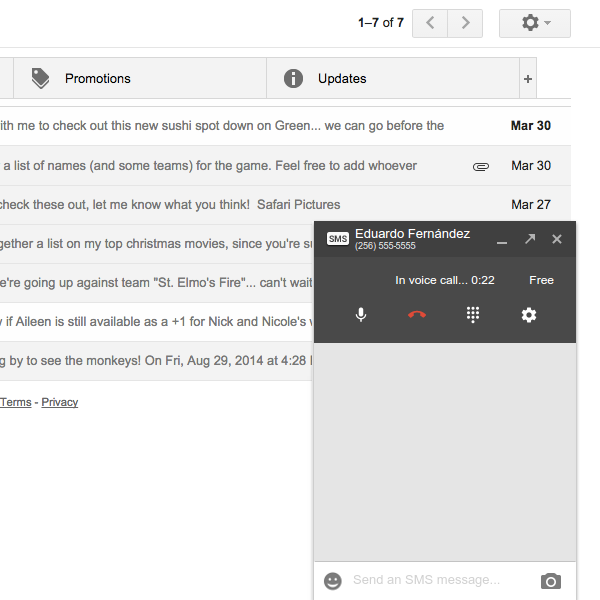
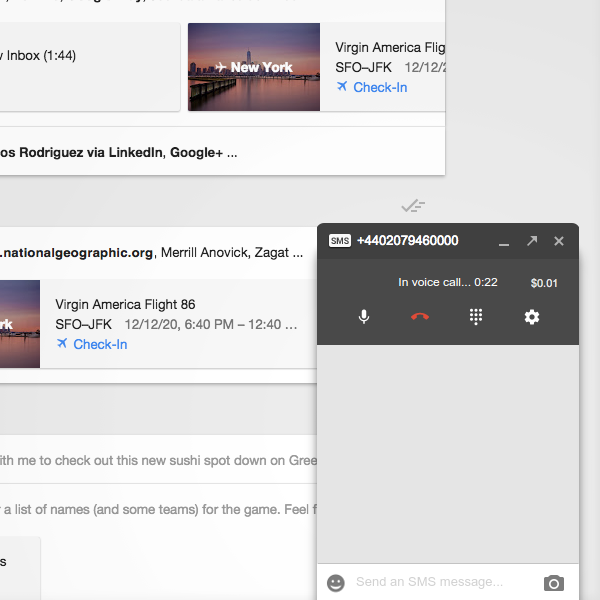
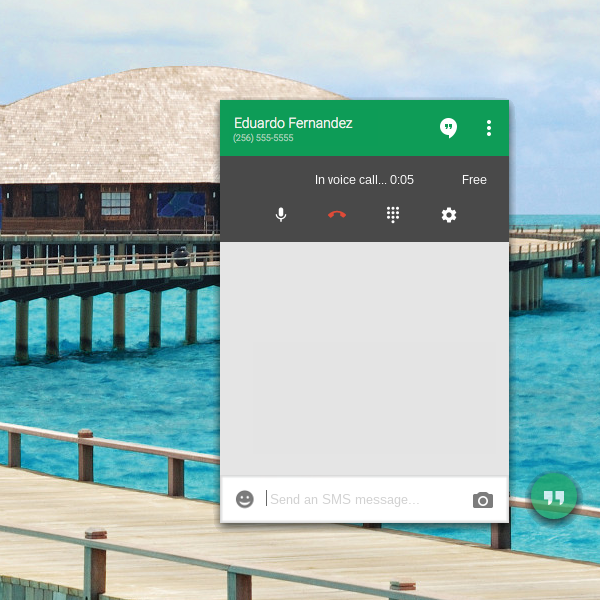
Faster phone calls in Google Hangouts
Calling from desktop just got better. We're excited to announce:
* Faster call connections right inside of Gmail and Inbox
* Quicker call answering for incoming Google Voice calls
Start a phone call by clicking the phone tab in Gmail, or by searching for a phone number in Hangouts. You can also try this in the Hangouts Chrome App: http://goo.gl/FujGNb
Look for these updates as we roll them out over the next few days!
#hangouts
Originally shared by Mark Chang
Faster phone calls in Google Hangouts
Calling from desktop just got better. We're excited to announce:
* Faster call connections right inside of Gmail and Inbox
* Quicker call answering for incoming Google Voice calls
Start a phone call by clicking the phone tab in Gmail, or by searching for a phone number in Hangouts. You can also try this in the Hangouts Chrome App: http://goo.gl/FujGNb
Look for these updates as we roll them out over the next few days!
#hangouts
WONDERFUL NEWS!

WONDERFUL NEWS!
At 4:38 PM Central Daylight Time. I received an Email from Google that my Pixel 2 had finally shipped
Needless to say, an 'un-boxing & setup' HOA will be scheduled soon!_
Things have turned ugly so I'm signing off...see you tonight at the Thursday's Tech Talk HOA!

Things have turned ugly so I'm signing off...see you tonight at the Thursday's Tech Talk HOA!
IMPROVE YOUR HOME WIFI
IMPROVE YOUR HOME WIFI
This may be of interest to those limited to using WiFi for HOA events
http://toptechpicks.com/enterprise-grade-wi-fi/
http://toptechpicks.com/enterprise-grade-wi-fi
This may be of interest to those limited to using WiFi for HOA events
http://toptechpicks.com/enterprise-grade-wi-fi/
http://toptechpicks.com/enterprise-grade-wi-fi
Community members using Chromebooks will find the following communities of interest:

Community members using Chromebooks will find the following communities of interest:
https://plus.google.com/u/0/communities/112113270537114386848
https://plus.google.com/u/0/communities/115475865381145127662
https://plus.google.com/u/0/communities/105678482604512626671
https://plus.google.com/u/0/communities/107021066849116516708
https://plus.google.com/u/0/communities/113130687555589110223
The following event to be held on 8 Apr 2015 at 7PM EDT may be of interest to members.
The following event to be held on 8 Apr 2015 at 7PM EDT may be of interest to members.
http://journeymapping.us2.list-manage1.com/subscribe?u=e8660c6788c8d2bb145378d73&id=5181ca2b10
http://journeymapping.us2.list-manage1.com/subscribe?u=e8660c6788c8d2bb145378d73&id=5181ca2b10
http://journeymapping.us2.list-manage1.com/subscribe?u=e8660c6788c8d2bb145378d73&id=5181ca2b10
http://journeymapping.us2.list-manage1.com/subscribe?u=e8660c6788c8d2bb145378d73&id=5181ca2b10
[INTRODUCTION] Thanks again for having me!
[INTRODUCTION] Thanks again for having me! My introduction and "story" is a bit in flux at the moment. WaterCitizen.Com is a media organization that has provided water news, education, and WaterTainment(TM) for people passionate about water since August 2011 (nearly 4 years!). Non-advocacy, non-partisan, non-siloed fun cool "sexy" multimedia stories on water-related topics, personal profiles, event announcements, and - increasingly - live online TV shows and livecast of live events using Hangouts. We're about to complete our tax application to become a 501(c)3 ("non-profit" - although we intend for all of our projects to be "internally profitable" to support our mission: elevate the water dialogue; improve the water communications infrastructure, and make water sexy!).
Personally, I (Cat Shrier - separate G+ profile) had worked for 20+ years in water planning & policy when I started WaterCitizen.Com, recognizing that more and more of my work was focusing on education, communication, and outreach or "inreach" (within and among members of the water community, not just "the public"). I had originally intended to create a nonprofit, but couldn't afford the IRS process & associated legal fees at the time (feel free to PM me for info on how that's changed), so tried different forms of for-profit media outlets. Switching over to a 501(c)3 will allow us to include more focus on cutting-edge approaches to water communications (including HOAs), with sharing and education of our results, and continuing our commitment to education (we've had dozens of interns).
I still didn't say much about me personally, did I? Sorry -a m focusing on WaterCitizen at the moment. I'll get my story up on my personal profile at some point. I will say that I have done a lot with the personal development space as well, and have certifications in coaching, NLP, and experiential learning facilitation, although I don't consider myself to be a coach and don't really plan to use that background much professionally, other than possibly Hangout-based Mastermind, which I love facilitating (see the photo of me doing a demo at the Water 2.0 event - with Meilani MacDonald and John Jurkiewicz in the filmstrip - and of a Mastermind I ran this winter - and one of a series of live hangout interviews I did during a conference last fall).
WaterCitizen is based on Capitol Hill in Washington, DC.


Personally, I (Cat Shrier - separate G+ profile) had worked for 20+ years in water planning & policy when I started WaterCitizen.Com, recognizing that more and more of my work was focusing on education, communication, and outreach or "inreach" (within and among members of the water community, not just "the public"). I had originally intended to create a nonprofit, but couldn't afford the IRS process & associated legal fees at the time (feel free to PM me for info on how that's changed), so tried different forms of for-profit media outlets. Switching over to a 501(c)3 will allow us to include more focus on cutting-edge approaches to water communications (including HOAs), with sharing and education of our results, and continuing our commitment to education (we've had dozens of interns).
I still didn't say much about me personally, did I? Sorry -a m focusing on WaterCitizen at the moment. I'll get my story up on my personal profile at some point. I will say that I have done a lot with the personal development space as well, and have certifications in coaching, NLP, and experiential learning facilitation, although I don't consider myself to be a coach and don't really plan to use that background much professionally, other than possibly Hangout-based Mastermind, which I love facilitating (see the photo of me doing a demo at the Water 2.0 event - with Meilani MacDonald and John Jurkiewicz in the filmstrip - and of a Mastermind I ran this winter - and one of a series of live hangout interviews I did during a conference last fall).
WaterCitizen is based on Capitol Hill in Washington, DC.
The following HOA event(s) featuring members of the User2User-LIVE!

The following HOA event(s) featuring members of the User2User-LIVE! Community are happening today, Thursday, 2 Apr, the 91st day of 2015. There are 274 days remaining in the year.
[ETHERNET ADAPTER FOR CHROMEBOOK?
[ETHERNET ADAPTER FOR CHROMEBOOK?] Really excited to join this group! I've begun "pitching" Hangout-based coverage of live events in the water "space" and will certainly have questions. I just bought a Samsung Chromebook 2 last night, which should, I hope, resolve some of the issues I've had with my old computer (blurry hands, delayed response) with the processor dedicated to G+ and not Windows. One drawback: no ethernet. I'm told the internet is so good I won't need a hardwired connection, but I'd rather not take that risk. I see Amazon sells Ethernet adapters of various sorts (USB 2.0 or 3.0 and 10/100/1000 of RJ45 huh????) - some providing additional USB outlets as well. Any idea which I would need? Has anyone used an Ethernet adapter for hangouts with a computer than has not Ethernet port (e.g. Chromebook, Macbook) - does it make a difference? I didn't think this was the sort of question that warranted a live chat (although I can do that also) - hope it's an appropriate first post to the group?
http://www.amazon.com/s/ref=nb_sb_noss?url=search-alias%3Daps&field-keywords=ethernet+adapter
http://www.amazon.com/s/ref=nb_sb_noss?url=search-alias%3Daps&field-keywords=ethernet+adapter
http://www.amazon.com/s/ref=nb_sb_noss?url=search-alias%3Daps&field-keywords=ethernet+adapter
http://www.amazon.com/s/ref=nb_sb_noss?url=search-alias%3Daps&field-keywords=ethernet+adapter
Just in time to flood the bandwidth with cards full of goofy Easter Bunnies

Just in time to flood the bandwidth with cards full of goofy Easter Bunnies
Originally shared by Google+ Top Contributors
How-to add text to a photo on a desktop
✽ Click open a new post.
✽ Click on the Photos icon.
✽ On bottom right it says "Your Google+ photos", click that.
✽ Choose "Albums", click on the one you want, click on the photo and "Add" from bottom left.
✽ Then click on "Add" again and now you get the photo already in the post.
Under the photo there are icons: "Auto enhance", "Add text" and "Flip image" as well as "Delete".
✽ Click on the T icon:
On top right you see a drop-down where you can change the font, only uses 1 font at a time for all three text boxes. But if you "Save" the image and then click again on the text, you can use another font. You can even rotate the image and add more text.
(Thanks for the tip Angel Wedge !)
✽ Add your text, click on save and share the post after adding some txt in the body of the post, perhaps.
The image has to be shared from a new post share box, not directly from the album, mind!
#Photos #Googleplustips #TCpost #Jaanatip #Meme
Here are a couple of Photos tutorials for Google+, I hope they are of use to you:
Google+ and albums http://bit.ly/1NnEA5L
Google+ and your photos http://bit.ly/1NnEA5M
They're a bit long but take a quick look and then go back for bite sized chunks.
More about Photos from Google+: http://bit.ly/1NnEA5N
More about the Auto backup: http://bit.ly/1NnEA5Q
Your Google Photos in numbers: http://bit.ly/1NnEA5R
Here are the instructions, how to delete photos: http://bit.ly/1NnEA5S
How to recover photos on your SD card after deletion: http://bit.ly/1NnExXF
Wednesday, April 1, 2015

A Roundup of This Year's Google April Fools Pranks
A Roundup of This Year's Google April Fools Pranks
This is the first time I've edited a video in YouTube. I gotta say I'm proud of me, lol
This is the first time I've edited a video in YouTube. I gotta say I'm proud of me, lol
https://youtu.be/N5dnJckJntc
https://youtu.be/N5dnJckJntc
Question: How many people total can actively be part of an HOA, i.e. in the "Green Room"?
Question: How many people total can actively be part of an HOA, i.e. in the "Green Room"?
I am remembering 9 (including the host), but wanted to double-check.
Thank you in advance!
I am remembering 9 (including the host), but wanted to double-check.
Thank you in advance!
A lively Discussion and Q&A event held every Thursday dealing with issues you may be having with Hangouts On...
Originally shared by Andrew Hatchett
A lively Discussion and Q&A event held every Thursday dealing with issues you may be having with Hangouts On Air(HOA), Hangout Video Calls(HVC), Hangout Message Box(HMB), Business-Hangouts(BHOA), etc.
A lively Discussion and Q&A event held every Thursday dealing with issues you may be having with Hangouts On Air(HOA), Hangout Video Calls(HVC), Hangout Message Box(HMB), Business-Hangouts(BHOA), etc.
Sure to be of interest to some members of the community
Sure to be of interest to some members of the community
Originally shared by Chad LaFarge
Long Requested Feature Added
XSplit Broadcaster users have been asking for this for a LONG time... XSplit finally got on the ball and added it. This is a game changer. XSplit is officially the most comprehensive encoder available. Nice work, folks!
http://www.youtube.com/watch?v=iue-jQ4-_5g
Originally shared by Chad LaFarge
Long Requested Feature Added
XSplit Broadcaster users have been asking for this for a LONG time... XSplit finally got on the ball and added it. This is a game changer. XSplit is officially the most comprehensive encoder available. Nice work, folks!
http://www.youtube.com/watch?v=iue-jQ4-_5g
Tuesday, March 31, 2015
The following HOA event(s) featuring members of the User2User-LIVE!

The following HOA event(s) featuring members of the User2User-LIVE! Community are happening today, Wednesday, 1 Apr, the 90th day of 2015. There are 275 days remaining in the year.
Monday, March 30, 2015
Interesting article in Forbes!
The following HOA event(s) featuring members of the User2User-LIVE!

The following HOA event(s) featuring members of the User2User-LIVE! Community are happening today, Tuesday, 31 Mar, the 89th day of 2015. There are 276 days remaining in the year.
Thought this would be of interest to the community.
Thought this would be of interest to the community. Should be rolling out today. Starting today, the photos and videos you keep in Google+ Photos will also be available in Google Drive
Originally shared by Google Drive
Sometimes, we use photos for practical purposes, like planning a wedding, remodeling a kitchen, or capturing meeting notes from a whiteboard. And, while you snap all kinds of pics, your experience across Google should be seamless and consistent. Starting today, the photos and videos you keep in Google+ Photos will also be available in Google Drive.
Read more at http://goo.gl/s0Vfa3.
Originally shared by Google Drive
Sometimes, we use photos for practical purposes, like planning a wedding, remodeling a kitchen, or capturing meeting notes from a whiteboard. And, while you snap all kinds of pics, your experience across Google should be seamless and consistent. Starting today, the photos and videos you keep in Google+ Photos will also be available in Google Drive.
Read more at http://goo.gl/s0Vfa3.
I thought this was a really informative article especially if you use G+ as a platform to market your business , so...

I thought this was a really informative article especially if you use G+ as a platform to market your business , so I thought I'd share it.
Originally shared by John Skeats
Mistakes to Avoid When Promoting Anything on Google
People who are excited about causes, religious beliefs, their blogs, communities, businesses, or whatever often make serious mistakes that have exactly the opposite effects from what they are trying to achieve. Making those mistakes drive people away from you. They can result in being your being flagged as spammer and even having your profile or page suspended by Google+.
Promotional posts of any kind can violate rule #7 of the Google+ User Content and Conduct Policy (http://www.google.com/+/policy/content.html), which states: Do not spam, including sending unwanted promotional or commercial content, or unwanted or mass solicitation. The word "unwanted" there is key. You are violating the rule if you share a promotional post in a manner that it is delivered to people who do not want to receive it. It does not matter what the subject matter is. For example, a perfectly wonderful religious post becomes spam when the post is delivered to people who do not welcome such posts -- and if a sufficient number of people report such a post as spam, Google will treat the person who shared it as a spammer.
Some of the most common ways people get into trouble are:
-- Sharing in a manner that triggers unwanted notifications
-- Sharing the same or substantially similar content too frequently
-- Sharing to too many communities
-- Sharing too frequently in a single community
-- Sharing posts that violate community rules
-- Sharing "link-litter" posts
-- Using too many hashtags
-- Adding a promotional signature block to your posts and comments
-- Asking for followers
-- Inviting people to communities
-- Sharing religious posts
The remainder of this post consists of discussions about each item in the above list. Note to bloggers: Pay especial attention to the second and sixth items.
Sharing in a manner that triggers unwanted notifications
People generally want to make their own decisions about who they receive notifications from. Google+ offers very effective means for people to control notifications. Still there are two mistakes that people make very frequently that get them reported for unwanted notifications:
-- If you add Extended circles, Your circles, or the names of specific circles when sharing a post with Public, some of the people in the groups you added are likely to receive unwanted notifications. Avoid this by removing all other groups from the To: field when sharing with Public. Your posts will still be visible to the same audience and will appear in the Home streams for the same people either way, but removing the groups prevents unwanted notifications. Note that it would be okay to add a circle if all of the people in it asked you to be notified of your posts.
-- If you select the Also send email when sharing a post with Extended circles, Your circles, or specific circles, some of the people in those groups are likely to receive unwanted notifications. Avoid this by never using that option unless 100% of the people in the groups have asked you to send them email notifications.
I mentioned in both of the cases above that it is okay if people asked you to notify them. That does not mean it is okay to notify them and offer the option to be removed. You are spamming if you add them and only remove them upon request. You are not spamming if you offer them the option to receive notifications and only add people who ask to be added.
Sharing the same or substantially similar content too frequently
Sharing the identical post or a post with very similar content repeatedly with the same audience will get you into trouble. That can include posts with minimally different content in the posts themselves and the same link. It can also include posts that are minimally different and have closely related links (e.g., different posts in the same blog). A key way of avoiding this type of problem is to share a variety of posts. Bloggers who share a variety of Google+ posts in addition to their blog posts are less likely to encounter problems than bloggers who share only their blog posts on Google+.
Sharing to too many communities
Google considers sharing the same or substantially similar posts to multiple communities in a relatively short period of time to be a form of spamming. The Google+ spam filters detect this and flag all instances of the posts. They are put into queues in the communities for the moderators to approve or reject. Posts are not visible to other community members while the posts are in the moderation queue. To avoid this, I recommend never sharing similar material to more than three communities within about a two-hour period.
Sharing too frequently in a single community
No one likes seeing a community stream that is dominated by one individual. I recommend never sharing more than one or two posts in the same community without their being sufficient time for a significant number of other people's posts to appear between yours. Also be aware that some communities have strict limits on the number of posts you may share per day.
Sharing posts that violate community rules
The owners of the communities set the rules for their communities. The only restriction is that the rules for a community cannot override the Google+ User Content and Conduct Policy (referenced above). Many -- perhaps most -- communities do not allow promotional posts of any form. It is extremely important to read and follow the rules for each community before posting in it. Otherwise moderators will remove your posts as spam. Google treats people who demonstrate a pattern of having their posts removed from communities to be spammers because their posts are clearly being shared in a manner that is unwanted in the context where they are being shared.
Sharing "link-litter" posts
Posts that contain little or no meaningful content other than a link are much more likely to be treated as spam than posts that introduce the link with a discussion about the content of the target of the link. Note that simply copying the title of the website or blog post, or adding a one-liner saying something along the lines of the information being important does not a change a post from being link litter. As an aside, studies have shown that the click-through rate on links is dramatically higher when the posts themselves offer readers value than on link-litter posts and posts that simply encourage the reader to go to the target links.
Using too many hashtags
We have not seen concrete evidence that Google has a quota on the number of hashtags you can use in a post, however there is no question that posts that are overwhelmed by hashtags in the content itself -- which is completely unnecessary since Google+ allows virtually unlimited length posts -- or in long lists at the end look spammy. Remember that spam is defined by the eye of the beholder. If the recipients think your posts look like spam, they are spam.
Adding a promotional signature block to your posts and comments
Many people like to add the equivalent of an email signature section with promotional messages and links to their posts and comments on other people's posts. The Google+ spam filters will quickly detect that and start treating you as a spammer. It is fine, of course, to add links where it is appropriate to the context of the post or comment, but adding a standard signature block with links will get you in trouble.
Asking for followers
Asking people to circle your profile or follow your page is not well received on Google+. People will take those actions if you give them value and engage with them. They are much more likely to view you as a spammer if you ask them to circle your profile or follow your page.
Inviting people to communities
Unwanted community invitations are an extremely annoying form of spam. Many community owners or people excited about particular communities want to invite the world to join them. Resist that temptation! In invitation to a community is implicitly promotional, and community invitations trigger notifications. Therefore, invitations sent to anyone who does not want them meet Google's definition of spam. Share invitations only with people you believe to have an interest in a specific community -- and personalize those invitations by adding meaningful content about why you believe they might be interested in the communities. Without that personalization, the posts look like a form of link litter.
Sharing religious posts
Religious posts do not implicitly violate any rules. I call them out separately because they present their own pitfalls. Recipients of religious posts who are not of the same persuasion generally see the posts as promoting religions or specific religious beliefs -- and many people do not welcome such posts. That means religious posts fulfill all of Google's conditions defining spam if the posts are delivered to people who do not want to receive them. I am not saying there is anything wrong with sharing posts about your beliefs. I am merely encouraging people who want to do so to realize that it is very easy to cross the line and become a spammer.
#GooglePlus #GooglePlusTips
Sunday, March 29, 2015
The following HOA event(s) featuring members of the User2User-LIVE!

The following HOA event(s) featuring members of the User2User-LIVE! Community are happening today, Monday, 30 Mar, the 88th day of 2015. There are 277 days remaining in the year.
Saturday, March 28, 2015
I am sure you all know about this, but thought I would share it here:
I am sure you all know about this, but thought I would share it here:
isup.me
Is a link, where you enter in a URL of a website, to see if it is Up or not, or is it just me.
isup.me
Is a link, where you enter in a URL of a website, to see if it is Up or not, or is it just me.
Friday, March 27, 2015
Business hangouts Office hours
Business hangouts Office hours
Come learn a little
https://business-hangouts.com/office-hours/
https://business-hangouts.com/office-hours
Come learn a little
https://business-hangouts.com/office-hours/
https://business-hangouts.com/office-hours
The following HOA event(s) featuring members of the User2User-LIVE!

The following HOA event(s) featuring members of the User2User-LIVE! Community are happening today, Friday, 27 Mar, the 85th day of 2015. There are 280 days remaining in the year.
Just a reminder...
Just a reminder...
New to BHO and got questions?
Join us today, Friday 9 am PT, like each week, and ask any questions you may have.
https://business-hangouts.com/office-hours/
https://business-hangouts.com/office-hours
New to BHO and got questions?
Join us today, Friday 9 am PT, like each week, and ask any questions you may have.
https://business-hangouts.com/office-hours/
https://business-hangouts.com/office-hours
Thursday, March 26, 2015

Just a reminder...

Just a reminder...
A listing of LIVE HOAs can be found at:
https://plus.google.com/u/0/hangouts/onair
A listing of YouTube Live events can be found at:
https://www.youtube.com/live
Thank you Andrew Hatchett for allowing me to join your community.
Thank you Andrew Hatchett for allowing me to join your community.
A few here already know me or know of me.
For those that do not...
I am an artist in body and soul, primarily as an oil painter. I have and when needed do use other medium besides oils, such as acrylics, charcoal, graphite and colored pencils, pastels, or watercolors.
I am also a former computer network systems engineer, programmer, graphic designer, website designer, database designer and rehab tech evaluator/job coach.
In 1999 I had to give up my computer business as my MS could no longer handle the stress and pace, incumbent with working the computer fields. The MS has blocked through the damage a lot of what I knew about programming and am no longer able to program as I once did.
The up side is that I get to live life with my creativity still flowing using oil paints that I have loved since I was a young boy. I do special orders of portraits, caricatures, custom art for etching onto funerary headstones, or turn a group of memories, or a dream one may have, into works of fine art, as well as paintings of the many things I have seen throughout my life. I like to say: "I turn dreams, ideas, memories and photos into works of fine art."
A few here already know me or know of me.
For those that do not...
I am an artist in body and soul, primarily as an oil painter. I have and when needed do use other medium besides oils, such as acrylics, charcoal, graphite and colored pencils, pastels, or watercolors.
I am also a former computer network systems engineer, programmer, graphic designer, website designer, database designer and rehab tech evaluator/job coach.
In 1999 I had to give up my computer business as my MS could no longer handle the stress and pace, incumbent with working the computer fields. The MS has blocked through the damage a lot of what I knew about programming and am no longer able to program as I once did.
The up side is that I get to live life with my creativity still flowing using oil paints that I have loved since I was a young boy. I do special orders of portraits, caricatures, custom art for etching onto funerary headstones, or turn a group of memories, or a dream one may have, into works of fine art, as well as paintings of the many things I have seen throughout my life. I like to say: "I turn dreams, ideas, memories and photos into works of fine art."

The following HOA event(s) featuring members of the User2User-LIVE!

The following HOA event(s) featuring members of the User2User-LIVE! Community are happening today, Thursday, 26 Mar, the 84th day of 2015. There are 281 days remaining in the year.
Wednesday, March 25, 2015
Just an FYI...

Just an FYI...
I just checked and it seems I've been remiss in watching the videos of those people to whom I subscribed. I shall begin to rectify that this evening. I only have 135 to watch so if you miss me you'll know what I'm doing!
BTW... The picture has nothing to do with the post
:)
This may be of interest to members of the community
This may be of interest to members of the community
http://linux.softpedia.com/blog/LibreOffice-Online-Announced-a-Free-Alternative-to-Google-Docs-and-Office-365-476731.shtml
http://linux.softpedia.com/blog/LibreOffice-Online-Announced-a-Free-Alternative-to-Google-Docs-and-Office-365-476731.shtml
Thanks to Russ Worthington for this find. Sure to be of interest to members.
Thanks to Russ Worthington for this find. Sure to be of interest to members.
http://on.tcrn.ch/l/Vnvs
http://on.tcrn.ch/l/Vnvs
Tuesday, March 24, 2015
The following HOA event(s) featuring members of the User2User-LIVE!

The following HOA event(s) featuring members of the User2User-LIVE! Community are happening today, Wednesday, 25 Mar, the 83rd day of 2015. There are 282 days remaining in the year.
I have a question?
I have a question?
If I wanted to do an SHOA on a topic, but do it in 3 or 4 parts, do I have to schedule separate hangouts for each one.
If I wanted to do an SHOA on a topic, but do it in 3 or 4 parts, do I have to schedule separate hangouts for each one.
I just love what the Google+ Help Community has done about being sure all questions are answered in a timely manner!

I just love what the Google+ Help Community has done about being sure all questions are answered in a timely manner!
Monday, March 23, 2015
A lively Discussion and Q&A event held every Thursday dealing with issues you may be having with Hangouts On...
Originally shared by Andrew Hatchett
A lively Discussion and Q&A event held every Thursday dealing with issues you may be having with Hangouts On Air(HOA), Hangout Video Calls(HVC), Hangout Message Box(HMB), Business-Hangouts(BHOA), etc.
A lively Discussion and Q&A event held every Thursday dealing with issues you may be having with Hangouts On Air(HOA), Hangout Video Calls(HVC), Hangout Message Box(HMB), Business-Hangouts(BHOA), etc.
The following HOA event(s) featuring members of the User2User-LIVE!

The following HOA event(s) featuring members of the User2User-LIVE! Community are happening today, Tuesday, 24 Mar, the 82nd day of 2015. There are 283 days remaining in the year.
Also, just a reminder...
http://kraaftshaak.com/live/
(11 am Pacific, 1 pm Central, 2 pm Eastern)
hanging out till about 10:16pm

hanging out till about 10:16pm
If you want to chat about.... well... whatever you want come on in'
http://bit.ly/NightlyChat
Preparing for Summer.Two very short videos testing my fan noise/mike position
Preparing for Summer.Two very short videos testing my fan noise/mike position
https://youtu.be/dmUoDD2ntXA
https://youtu.be/qUWK4Tn-Tzg
Comments welcomed
https://youtu.be/dmUoDD2ntXA
https://youtu.be/dmUoDD2ntXA
https://youtu.be/qUWK4Tn-Tzg
Comments welcomed
https://youtu.be/dmUoDD2ntXA
Good Day all
Good Day all,
My name is Craig , I'm located in Western New York. (Not even close to the Big Apple).
I've been on G+ since late 2013 actively.
I've been running a weekly hangout for members of my community for most of a year now. It is only recently that I have been recording them for posterity.
Typically, I will edit them in Camtasia and use the parts to help the content on my site. We have some good discussions about how to optimize your site and help with SEO, SEM and User Experience. After all, the Search engines are only one part of the puzzle, if the site isn't attractive, people won't stay to read your content.
My name is Craig , I'm located in Western New York. (Not even close to the Big Apple).
I've been on G+ since late 2013 actively.
I've been running a weekly hangout for members of my community for most of a year now. It is only recently that I have been recording them for posterity.
Typically, I will edit them in Camtasia and use the parts to help the content on my site. We have some good discussions about how to optimize your site and help with SEO, SEM and User Experience. After all, the Search engines are only one part of the puzzle, if the site isn't attractive, people won't stay to read your content.
I forgot to turn on my microphone when I started my Monday SHOA.
I forgot to turn on my microphone when I started my Monday SHOA. Seven seconds of people wondering: Is it me? Is it Google? Is it sunspots? But look!!!! I successfully edited the video in YouTube. I know not a big deal. (It is for me!!!) #Youtubeeditor
https://youtu.be/xRG5gTB-ytQ
https://youtu.be/xRG5gTB-ytQ
Early Notice from Ronnie Bincer - Mark your calendars!
Early Notice from Ronnie Bincer - Mark your calendars!
Originally shared by Ronnie Bincer
Hangout Mastery Members Only Q&A session re. Hangouts
This is a Private HOA for Hangout Mastery members in a Public Event.
Before the start time, I'll add in the HOA video for you to test the play arrow. If you can press that play arrow and you see the countdown timer you are using the proper account. If it tells you that the Video is Private then you will need to sign out of YouTube or G+ with the 'other account' and sign in again using the same account you use in our Private Membership Community. More details here http://goo.gl/ujenXX
This is a monthly event for Hangout Mastery members... if you are a member (new or long-time member), please feel free to leave a comment/question about Hangouts or your membership. You can also ask to be in the filmstrip for this one in our private community.
Please realize that the Public (anyone) can see the comments here. I set it up this way so we can bring your questions/comments on screen via the Comment Tracker tool.
Not a Member yet but you're interested in joining us?... check out Hangout Mastery info and sign up at bit.ly/HangoutMastery
=== ===
#HangoutMastery #HangoutsOnAir #HOAtips
events/citm8j7a19rghu652qtcf4j2njg
Originally shared by Ronnie Bincer
Hangout Mastery Members Only Q&A session re. Hangouts
This is a Private HOA for Hangout Mastery members in a Public Event.
Before the start time, I'll add in the HOA video for you to test the play arrow. If you can press that play arrow and you see the countdown timer you are using the proper account. If it tells you that the Video is Private then you will need to sign out of YouTube or G+ with the 'other account' and sign in again using the same account you use in our Private Membership Community. More details here http://goo.gl/ujenXX
This is a monthly event for Hangout Mastery members... if you are a member (new or long-time member), please feel free to leave a comment/question about Hangouts or your membership. You can also ask to be in the filmstrip for this one in our private community.
Please realize that the Public (anyone) can see the comments here. I set it up this way so we can bring your questions/comments on screen via the Comment Tracker tool.
Not a Member yet but you're interested in joining us?... check out Hangout Mastery info and sign up at bit.ly/HangoutMastery
=== ===
#HangoutMastery #HangoutsOnAir #HOAtips
events/citm8j7a19rghu652qtcf4j2njg

I highly recommend this event - most of you know Terry Leigh Britton so you know why!
I highly recommend this event - most of you know Terry Leigh Britton so you know why!
:)
Originally shared by Terry Leigh Britton
This is the FIRST Sunday Evening Edition of my New Variety Show!
A variety show. Something awesome you can leave on in the background in place of CNN or Fox News. (Well, there's really nothing as surreal as Fox News... but I'll try!)
Featuring Music! Readings! Special Guests! Philosophy! Tech-Talk! Q&A! (And "The Eyes Closed" segments!)
This week will include featured bits on using Pixlr's free image editing software, some beautiful poetry (Including Rose Fyleman's "Mice"), some live Flute and Keyboard performances, visits with brave friends, some raves on video software used in the show, more Abundance talks and other features, including the first "The Eyes Closed" segment. And I will create the second segment of "The Eyes Closed" live.
This is show number One - so tune in for the LIVE TV style flubs, but also to see what is possible live as I take the Open Broadcast Software I am using (http://obsproject.com) through its paces!
(P.S. - That cover picture is me at age 12-1/2 at Camp Mauweehu Boy Scout Camp - h/t to Ned Popkins for sharing his photo of me clowning around back then!)
events/cj5rcdlh0bfi32i0v0lccvo0r98
:)
Originally shared by Terry Leigh Britton
This is the FIRST Sunday Evening Edition of my New Variety Show!
A variety show. Something awesome you can leave on in the background in place of CNN or Fox News. (Well, there's really nothing as surreal as Fox News... but I'll try!)
Featuring Music! Readings! Special Guests! Philosophy! Tech-Talk! Q&A! (And "The Eyes Closed" segments!)
This week will include featured bits on using Pixlr's free image editing software, some beautiful poetry (Including Rose Fyleman's "Mice"), some live Flute and Keyboard performances, visits with brave friends, some raves on video software used in the show, more Abundance talks and other features, including the first "The Eyes Closed" segment. And I will create the second segment of "The Eyes Closed" live.
This is show number One - so tune in for the LIVE TV style flubs, but also to see what is possible live as I take the Open Broadcast Software I am using (http://obsproject.com) through its paces!
(P.S. - That cover picture is me at age 12-1/2 at Camp Mauweehu Boy Scout Camp - h/t to Ned Popkins for sharing his photo of me clowning around back then!)
events/cj5rcdlh0bfi32i0v0lccvo0r98
Just a reminder...
Just a reminder...
https://kraaftshaak.com/watch-now/monday-meanderings/
9 am Mountain (8 am Pacific, 10 am Central, 11 am Eastern)
https://kraaftshaak.com/watch-now/monday-meanderings
https://kraaftshaak.com/watch-now/monday-meanderings/
9 am Mountain (8 am Pacific, 10 am Central, 11 am Eastern)
https://kraaftshaak.com/watch-now/monday-meanderings
The following HOA event(s) featuring members of the User2User-LIVE!

The following HOA event(s) featuring members of the User2User-LIVE! Community are happening today, Monday, 23 Mar, the 81st day of 2015. There are 284 days remaining in the year.
Sunday, March 22, 2015
Thought you might like this, as Facebook is going around again talking about Google+ going away.us
Thought you might like this, as Facebook is going around again talking about Google+ going away.us
Originally shared by DearMYRTLE
"But don’t write the obituary yet. It would be a mistake to call this a retreat, or an admission of failure. This is actually Google doing what Google does best: relentlessly optimizing its products based on data and feedback."
http://www.wired.com/2015/03/google-knew-dead-google-still-social-network
http://www.wired.com/2015/03/google-knew-dead-google-still-social-network
Originally shared by DearMYRTLE
"But don’t write the obituary yet. It would be a mistake to call this a retreat, or an admission of failure. This is actually Google doing what Google does best: relentlessly optimizing its products based on data and feedback."
http://www.wired.com/2015/03/google-knew-dead-google-still-social-network
http://www.wired.com/2015/03/google-knew-dead-google-still-social-network

Saturday, March 21, 2015
ATTN: ALL MEMBERS

ATTN: ALL MEMBERS
On Thursday,March 26, 2015, a new weekly open ended show will begin here in the User2User-LIVE! Community. Aimed at both the more experienced members as well as those newly joined, we hope you find it helpful.
There will be no scheduled ending time.

Welcome to John Paduchak and Ted Wosko, the newest members of the User2User-LIVE! Community.

Welcome to John Paduchak and Ted Wosko, the newest members of the User2User-LIVE! Community.
Friday, March 20, 2015
More on YouTube cards.
More on YouTube cards.
h/t to Ronnie Bincer for bringing this to my attention
http://www.reelseo.com/youtube-cards/#.VQzQdPERVKB.google_plusone_share
h/t to Ronnie Bincer for bringing this to my attention
http://www.reelseo.com/youtube-cards/#.VQzQdPERVKB.google_plusone_share
ok-question...
ok-question...
Is 'beering' a word?
If not it ought to be!
:)
Originally shared by Craft Beer Nation
This week we celebrate Episode 150 of our #FridayNightHangout with one of our favorite styles: Barleywine and it is sure to be an entertaining night. Barleywine is a big bold in your face style of beer, ranging from your English style with its raisins and malts to your American style with its big hoppy boldness. And the ABV on any Barleywine usually begins in the low double digits. So we should have some well oiled panel members tonight. :-)
To WATCH: Just respond "Yes" to the event and you will get a notification when we start. That will bring you back to this event and there will be a link to the live feed here.
To JOIN the HoA: Respond "Yes" to the event, make sure you are following +Craft Beer Nation, and comment here that you want to participate. If we don't know you want to join, we can't add you to the circle of invitees.
To JOIN the AFTER-PARTY: Respond "Yes" to the event, make sure you are following +Craft Beer Nation, and comment here that you want to join just the after-party. You will get an notification that the hangout is starting and a link to join us. Just watch and wait for us to go off the air before clicking the Join. You may still get a warning about joining a Hangout on Air, but rest assured that once we hit the button to stop broadcasting, it would take all of Santa's Elves to get it running again.
We are Craft Beer Nation and you can find us at the following locations. We'd love to hear from you.
Website
http://craftbeernation.org/blog/
Twitter
https://twitter.com/CBNCommunity
YouTube
https://www.youtube.com/user/CraftBeerNation
Podcast Feedburner
http://feeds.feedburner.com/CraftBeerNation
#CraftBeerNation #CBN #FNH #HangoutsOnAir #HoA
Is 'beering' a word?
If not it ought to be!
:)
Originally shared by Craft Beer Nation
This week we celebrate Episode 150 of our #FridayNightHangout with one of our favorite styles: Barleywine and it is sure to be an entertaining night. Barleywine is a big bold in your face style of beer, ranging from your English style with its raisins and malts to your American style with its big hoppy boldness. And the ABV on any Barleywine usually begins in the low double digits. So we should have some well oiled panel members tonight. :-)
To WATCH: Just respond "Yes" to the event and you will get a notification when we start. That will bring you back to this event and there will be a link to the live feed here.
To JOIN the HoA: Respond "Yes" to the event, make sure you are following +Craft Beer Nation, and comment here that you want to participate. If we don't know you want to join, we can't add you to the circle of invitees.
To JOIN the AFTER-PARTY: Respond "Yes" to the event, make sure you are following +Craft Beer Nation, and comment here that you want to join just the after-party. You will get an notification that the hangout is starting and a link to join us. Just watch and wait for us to go off the air before clicking the Join. You may still get a warning about joining a Hangout on Air, but rest assured that once we hit the button to stop broadcasting, it would take all of Santa's Elves to get it running again.
We are Craft Beer Nation and you can find us at the following locations. We'd love to hear from you.
Website
http://craftbeernation.org/blog/
https://twitter.com/CBNCommunity
YouTube
https://www.youtube.com/user/CraftBeerNation
Podcast Feedburner
http://feeds.feedburner.com/CraftBeerNation
#CraftBeerNation #CBN #FNH #HangoutsOnAir #HoA
Those of you in the community that use Business hangouts or that just want to learn more about it, come on out.

Those of you in the community that use Business hangouts or that just want to learn more about it, come on out.
Originally shared by Michael Daniels
Business Hangouts
Office Hours starts at noon Eastern on Fridays come join:
https://business-hangouts.com/office-hours/
Thursday, March 19, 2015
The following HOA event(s) featuring members of the User2User-LIVE!

The following HOA event(s) featuring members of the User2User-LIVE! Community are happening today, Friday, 20 Mar, the 78th day of 2015. There are 287 days remaining in the year.
Just a reminder:
http://business-hangouts.com/office-hours/
9:00 am Pacific Time / 12:00 pm Eastern Time / 6:00 pm Central Europe
Thanks Marilyn Moore for sharing Dustin W. Stout's article. Good stuff!
Thanks Marilyn Moore for sharing Dustin W. Stout's article. Good stuff!
Originally shared by Marilyn Moore
The No-No's of Google Plus
Sometimes it's just as important to know what NOT to do as well as what you should.
Dustin W. Stout lays out five things that will land you on the "naughty" list on G+.
He opens with two that are at the top of my list of no-no's, too.
1. Link-dumping.
A post does not consist of just posting a link. In fact, adding a few words doesn't really help matters either. You need to give enough value in your post that will motivate people to click through. That means that you've taken the effort to craft a well thought-out introduction. People's time is at a premium. If you want them to give some of their limited time to reading your post, you need to give them a good reason to do so.
I would take it one step further and say be sure to apply the same principle when resharing others' posts.
2. Not reading and following community guidelines.
This one is near and dear to any moderator's heart, but also to the community members who are there to give and get value from their participation in the community. Know what the purpose of the community is and what is expected from members before you post or engage - or better yet before you join.
As Dustin says,
"Your return on investment will be much higher. More importantly, you’ll begin to develop relationships within the community and that is the highest possible return."
Another pet peeve is using email notifications. Most people do not appreciate this. (You can control this, by the way, in your settings.) But Dustin mentions an important exception with opt-in circles.
Thanks to Dustin W. Stout for these G+ guidelines to make the right impression on Google Plus!
What else would you add to this list?
#googleplustips
http://dustn.tv/google-plus-no-no/?utm_source=Insiders&utm_campaign=5c236dd178-Insiders03_15_2015_DNC&utm_medium=email&utm_term=0_de07d7df01-5c236dd178-354824361
Originally shared by Marilyn Moore
The No-No's of Google Plus
Sometimes it's just as important to know what NOT to do as well as what you should.
Dustin W. Stout lays out five things that will land you on the "naughty" list on G+.
He opens with two that are at the top of my list of no-no's, too.
1. Link-dumping.
A post does not consist of just posting a link. In fact, adding a few words doesn't really help matters either. You need to give enough value in your post that will motivate people to click through. That means that you've taken the effort to craft a well thought-out introduction. People's time is at a premium. If you want them to give some of their limited time to reading your post, you need to give them a good reason to do so.
I would take it one step further and say be sure to apply the same principle when resharing others' posts.
2. Not reading and following community guidelines.
This one is near and dear to any moderator's heart, but also to the community members who are there to give and get value from their participation in the community. Know what the purpose of the community is and what is expected from members before you post or engage - or better yet before you join.
As Dustin says,
"Your return on investment will be much higher. More importantly, you’ll begin to develop relationships within the community and that is the highest possible return."
Another pet peeve is using email notifications. Most people do not appreciate this. (You can control this, by the way, in your settings.) But Dustin mentions an important exception with opt-in circles.
Thanks to Dustin W. Stout for these G+ guidelines to make the right impression on Google Plus!
What else would you add to this list?
#googleplustips
http://dustn.tv/google-plus-no-no/?utm_source=Insiders&utm_campaign=5c236dd178-Insiders03_15_2015_DNC&utm_medium=email&utm_term=0_de07d7df01-5c236dd178-354824361
Hanging out in a Business hangout. Thursday night 7pm to about 9pm Eastern

Hanging out in a Business hangout. Thursday night 7pm to about 9pm Eastern
Come join if you like.
https://business-hangouts.com/join.php?m=MjEyMTV8NDU5NTQ=
Somehow missed this when it was posted .

Somehow missed this when it was posted ...but it should be considered a "must read" for all newbies. H/T to Pat Richley-Erickson
Originally shared by John Skeats
All About Google+ Communities
Google+ offers two very different kinds of experiences that mimic the way we interact with people in the real world. We, of course, have personal friends and other informal groups of acquaintances we interact with. Circles provide that kind of experience in Google+. Another type of real world experience is provided by clubs, organizations, and other groups that are at least somewhat formalized. The equivalent of those in Google+ are Google+ communities.
Google+ communities provide a completely different experience than interacting with circles. As with most real-world organizations, you must join a community to participate in it. Some communities allow you to see inside them without joining (more on that below), but you cannot post to a community or add comments to community posts without becoming a member. Part of the beauty of communities, though, is that new members can see all of the history of the community, which makes communities a great way for new Google+ users to start engaging with other people immediately.
How communities work
Communities are generally organized around specific topics or themes. You can find communities you might be interested in by selecting Communities on the Google+ main menu. That will take you to a page with the list of communities you are already a member of, a list of communities you might be interested in, and an option to search for communities. Note that you can remove suggested communities that are of no interest to you by moving the cursor over the community icon and clicking the "X" that will appear in the corner of the icon.
Most communities are further divided into categories, which can help you locate posts that are specific interest to you if the overall topic or theme of the community covers more than you want to see. There is also a search bar underneath the community's logo which allows you to perform searches that are restricted to the community itself.
Types of Google+ communities
There are two types of Google+ communities: Public and Private.
Public communities can be viewed by by anyone on the web, even if they do not have a Google+ profile. Non-members can see both the posts and the list of community members for public communities. Google+ members can join some public communities by simply clicking a button at the top. Others have buttons to ask to join because the person who created the community indicated that moderator approval is required for all members.
Private communities are completely closed to anyone but members. Non-members cannot see posts inside a private community nor can they see the membership lists. The person who set up a community has the option of making the existence of the community itself invisible to non-members. Moderator approval is required to join all private communities. Since everything that goes on within private communities is restricted to the community, it is not even possible to share posts created in private communities, nor is it possible to +mention people who are not members of the community.
How communities are managed
In addition to regular members, communities have Moderators. Moderators are responsible for managing the communities and managing their content. When you find a good community, you found a community that has good moderators because community moderation takes a tremendous amount of time and effort.
Moderators can remove posts that are inappropriate for the community and ban members who violate the community's rules. As an aside, moderators can see posts and comments within the community that were created by people who blocked them. That is necessary, of course, or malicious people could simply hide what they were doing in communities by blocking the moderators.
Community rules
Activity in communities is subject to two sets of rules: the Google+ User Content and Conduct Policy (www.google.com/+/policy/content.html) and the rules established by the community itself.
All Google+ users should become familiar with the Google+ User Content and Conduct Policy because the rules there apply to everything we do on Google+, whether it is in a community or not. The most important thing to remember about the Policy rules with respect to communities is that communities cannot give license to violate Google's rules. For example, rule #9 says "Do not distribute content that contains nudity, graphic sex acts, or sexually explicit material. Do not drive traffic to commercial pornography sites." That means pornography is not allowed in any communities. It does not matter whether the communities are public or private.
It is extremely important to become familiar with the rules for a community, which can normally be found on the community's About this community card, before becoming active in a community. The rules can vary widely between communities. Failure to comply with a community's rules can result in your being banned from it, sometimes for just a single offense. That decision is totally at the discretion of the community's owner and moderators, and only they can remove a ban. Google does not get involved in any way and cannot help you get reinstated in a community from which you have been banned.
As I said, community rules vary widely, but the following are behaviors that are frequently -- but not always -- prohibited:
* Creating off-topic posts: Communities generally have specific themes. Creating posts that do not fall within those themes is a form of spamming. Not only can you get banned from communities for creating off-topic posts, but doing that frequently can result in Google treating you as a spammer. In serious cases, you could lose your Google+ account for spamming communities.
* Promoting other communities: Very few communities allow you to promote other communities. Many do, however, allow you to add a comment referring the person who created a post to another community that might be a better place to get an answer -- but only if the other community is not on the same topic. For example, it would generally be acceptable to refer a person in a community for authors to the Google+ Help community (Google's official English-language support channel for Google+) for help with Google+ issues but not acceptable to refer them to another community on writing unless the subject of the question was outside the scope of the original community.
* Self-promotion: Many communities do not allow you to create posts that simply "sell" your blog, your business, your Google+ Page, or the like -- but some do. In fact, some communities specifically allow that and a few encourage it. Providing a link to your blog or website is frequently considered a form of self-promotion.
* Link-dropping: Posts that have nothing more than a URL are relatively unpopular with readers anyway but are strictly forbidden in many communities. It is always a good idea to write original content in community posts giving information about what can be found at the other end of the link. The most effective posts generally give readers a significant amount of information of value in the posts themselves and include relevant links for those wanting more details. Note that only repeating the title of a blog post or website, or simply saying something like "Interesting information" is generally viewed as being equivalent to posting only a link.
* Creating posts in the wrong categories: As previously mentioned, most communities are subdivided into categories. It is extremely important to assign your posts to the right category. Moderators can override your selection, but you should never waste moderator's time by posting to the wrong category. In some cases, doing so (especially repeatedly) can get you banned from communities. Note also that creating the same post in multiple categories in a community is almost always treated as spamming.
Why you can't share a post with multiple communities or communities and circles
Communities are intended to be limited. Posts to private communities can only be seen by community members. Posts to public communities can be seen by anyone but only members of the community can comment on them. If you could cross-post to a community and people outside that community (which would happen implicitly if you could share a post with multiple communities), it would break the integrity of the community because people outside the community could see and comment on the posts. There have to be separate posts to maintain that integrity and, in the case of private communities, to protect the privacy of the community members.
Wednesday, March 18, 2015
The following HOA event(s) featuring members of the User2User-LIVE!

The following HOA event(s) featuring members of the User2User-LIVE! Community are happening today, Thursday, 19 Mar, the 78th day of 2015. There are 287 days remaining in the year.
Hi Folks, I'm Meilani and I'm in the beautiful desert in Southern California.
Hi Folks, I'm Meilani and I'm in the beautiful desert in Southern California. I host a twice monthly B2B Hangout on Air called the TGIF Business Networking Hangout that is lots of fun and newbie friendly.
TGIF welcomes participants joining in the Hangout to ask questions, share their thoughts, it's not just me and the featured guest. It is a networking HOA so everyone who comes in has an opportunity to give their best elevator speech and promote their upcoming events.
I already know and admire a lot of the people running and participating in this community and know there is a wealth of knowledge and experience shared here. In particular, John Jurkiewicz often mentions to me how helpful this community is, so joining is a no-brainer I think :)
I am a brand identity and outreach strategy consultant, I host workshops and provide group or individual consulting sessions to help small business owners and solopreneurs define what exactly they are offering in terms of benefits to their customers, realize and create their desired brand identity and business reputation, define their outreach objectives and goals and create a strategy plan for reaching them, so they are spending their social and local outreach time on purpose, with purpose.
Cheers!
TGIF welcomes participants joining in the Hangout to ask questions, share their thoughts, it's not just me and the featured guest. It is a networking HOA so everyone who comes in has an opportunity to give their best elevator speech and promote their upcoming events.
I already know and admire a lot of the people running and participating in this community and know there is a wealth of knowledge and experience shared here. In particular, John Jurkiewicz often mentions to me how helpful this community is, so joining is a no-brainer I think :)
I am a brand identity and outreach strategy consultant, I host workshops and provide group or individual consulting sessions to help small business owners and solopreneurs define what exactly they are offering in terms of benefits to their customers, realize and create their desired brand identity and business reputation, define their outreach objectives and goals and create a strategy plan for reaching them, so they are spending their social and local outreach time on purpose, with purpose.
Cheers!
Thanks Ronnie Bincer for sharing Peggy K 's post! I'm sure it will be of interest to members of my community.
Thanks Ronnie Bincer for sharing Peggy K 's post! I'm sure it will be of interest to members of my community.
Originally shared by Peggy K
New! Move your YouTube channel to a different Google+ Profile or Page
Is your YouTube channel connected to the wrong Google+ identity? Now you can move your channel. The only requirement is that you are signed in as the owner of both your current channel’s Google+ Page or Profile and the destination Google+ Page.
To start the process, open your YouTube channel’s advanced settings (http://www.youtube.com/account_advanced) on a desktop computer and click “Move channel to a different Google+ Profile or Page*
What will be transferred along with your YouTube channel:
> uploaded videos
> playlists, favorites and likes
> subscriptions
> subscribers
> legacy username (e.g. http://www.youtube.com/user/peggyktc)
What **will NOT* be transferred along with your YouTube channel:*
> custom URL set after November 2014 (e.g. http://www.youtube.com/c/PeggyKTC)
> channel name and profile photo/channel icon
> comments posted after November 2013
> sent and received private messages
> automated filter community settings
Transfer your channel from one Google+ Profile to a different Google+ Profile
http://www.peggyktc.com/2015/03/transfer-youtube-channel-google-plus.html#differentprofile
For more detailed information and instructions, check out my post
http://www.peggyktc.com/2015/03/transfer-youtube-channel-google-plus.html
YouTube Help Center: Connected to the wrong Google+ Profile or Page
https://support.google.com/youtube/answer/3056283
#YouTubeTips
Originally shared by Peggy K
New! Move your YouTube channel to a different Google+ Profile or Page
Is your YouTube channel connected to the wrong Google+ identity? Now you can move your channel. The only requirement is that you are signed in as the owner of both your current channel’s Google+ Page or Profile and the destination Google+ Page.
To start the process, open your YouTube channel’s advanced settings (http://www.youtube.com/account_advanced) on a desktop computer and click “Move channel to a different Google+ Profile or Page*
What will be transferred along with your YouTube channel:
> uploaded videos
> playlists, favorites and likes
> subscriptions
> subscribers
> legacy username (e.g. http://www.youtube.com/user/peggyktc)
What **will NOT* be transferred along with your YouTube channel:*
> custom URL set after November 2014 (e.g. http://www.youtube.com/c/PeggyKTC)
> channel name and profile photo/channel icon
> comments posted after November 2013
> sent and received private messages
> automated filter community settings
Transfer your channel from one Google+ Profile to a different Google+ Profile
http://www.peggyktc.com/2015/03/transfer-youtube-channel-google-plus.html#differentprofile
For more detailed information and instructions, check out my post
http://www.peggyktc.com/2015/03/transfer-youtube-channel-google-plus.html
YouTube Help Center: Connected to the wrong Google+ Profile or Page
https://support.google.com/youtube/answer/3056283
#YouTubeTips
Tuesday, March 17, 2015
The following HOA event(s) featuring members of the User2User-LIVE!

The following HOA event(s) featuring members of the User2User-LIVE! Community are happening today, Wednesday, 18 Mar, the 77th day of 2015. There are 288 days remaining in the year.
Subscribe to:
Posts (Atom)